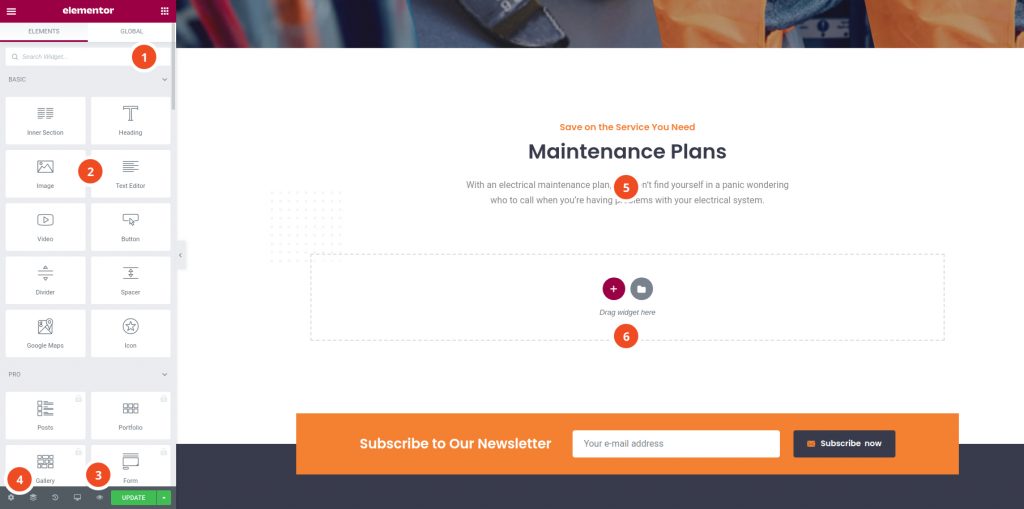

1. Panel (Top): Use the search field to find a widget.
2. Widgets / Widget Settings: Choose a widget and configure it.
3. Preview Button: Enables you to preview the page. Once clicked it hides/shows the panel.
4. Panel (Bottom): View page, Go back to Dashboard or Save the page.
5. Content Area: Drag & drop widgets and design your page.
6. Add New Section / Add Template: Choose between creating a new section or inserting an existing tem


A clean, conversion-focused theme for modern fashion stores. Bundle builder, lookbook, mega menu & more — one-time payment, lifetime updates.